

Communication and Marketing
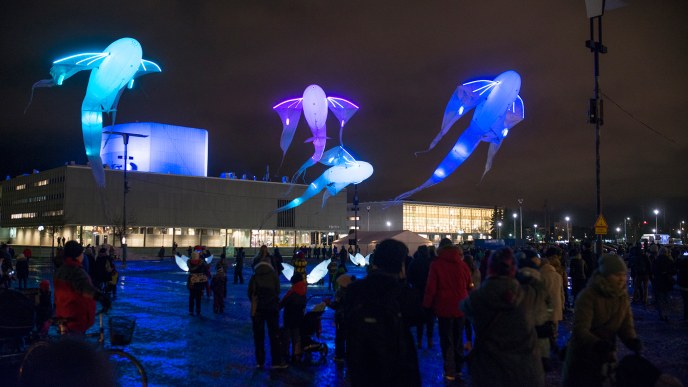
Various channels are used in the event's marketing and communications plan. Below you can find a listing of marketing and communications channels that can be used by events in Oulu.
Oulu Event Calendar
Oulu Event Calendar gathers together festivals, concerts, films, culture and sports events and events organized by various companies and communities in Oulu. Event organizers can add their event to the calendar free-of-charge.
The Oulu Event Calendar also provides analytics for event organizers.
The tool shows how many times your event listing has been viewed in the calendar and embedded widgets, as well as the number of clicks and shares on social media.
Temporary Advertising of Events
Temporary advertising in a public area requires a permit that can be applied for electronically on the Oulu region Environment Office webpage. Permit is not needed for A-stands or for handing out advertising leaflets when no structures are erected on the ground. Temporary advertising is only allowed in the areas marked on the map.
Where to Attach Posters
- University campuses usually have a notice board for posters.
- Posters can also be offered to restaurants, cafes and grocery stores that have notice boards.
- Libraries
Advertising Displays
Several operators rent out advertising space for digital displays and traditional advertising panels in Oulu and nearby areas.
Cadswell displays (in Finnish)
- two displays in the windows of business premises in Oulu city center
Digimedia Finland Oy (in Finnish)
- four displays on the city's busiest entrances
- a network of 48 digital advertising displays in Oulu
- 20 screens in the city center area, in shopping centers and on busy traffic routes
- 59 digital displays
- the Loistonäyttö display at Rotuaari Square
- displays in the Kivisydän parking facility
- a network of mobile roadside displays around Finland
Displays on the Kesäkatu in Valkea Shopping Centre
- 23 digital advertising screens throughout the shopping center
Tourist Information Channels
You can make use of the City of Oulu Tourist Information services to support your event communications.
Digital screen at Tourist Information
The City of Oulu Tourist Information has a digital screen where event organizers can display slides and short videos about current events and services in Oulu.
- Resolution: 1920 x 1080 px (landscape)
- File formats: image (png/jpg), video (mp4, max. 15 s)
- Materials are displayed for 2 weeks. Send by email: matkailuneuvoja@ouka.fi
Brochures and maps
Event organizers can order and collect maps and brochures from Tourist Information to distribute to participants. The materials support both event marketing and visitors’ stay in Oulu.
📍 Oulu Tourist Information
Kauppahalli, Kauppatori 1, 90100 Oulu
tel. +358 8 558 41330
matkailuneuvoja@ouka.fi
visitoulu.fi/info
Flying a Flag on the Merikoski Bridges
- Merikoski Bridge has a total of 48 flagpoles.
- The Oulun Tervaporvarien Nuorkauppakamari holds the usage rights to the flagpoles on the Merikoski bridges, with the exception of four (4) flagpoles located at both ends of the bridge, which are reserved for use by the City of Oulu.
- Read more on the website of the Oulun Tervaporvarien Nuorkauppakamari.
- Companies and event organizers can inquire about flagging directly from the Oulun Tervaporvarien Nuorkauppakamari at liputus@jciouluntervaporvarit.fi.
- or from the City of Oulu Group Administration at tiina.louhelainen@ouka.fi.
Event Marketing in Hotels in Oulu
Marketing materials of the events can be offered to the following hotels:
- Best Western Hotel Apollo
- Nallikari Lomakylä
- Original Sokos Hotel Arina
- Scandic Oulu City and Scandic Oulu Station
- Hotelli Lasaretti (a small amount)
Guide for Using the City of Oulu's Electronic Event Signage System
Guide for using the city of Oulu's electronic event signage system (in Finnish).
Electronic event signage is granted according to the venue-specific signage. The prices for signage are determined in the service price list approved by the Urban Environmental Committee. The event venues for the signage are: Tori, Raksila, Musiikkikeskus/Pohjankartano and Raatti/Hietasaari
- Read the instructions in the pdf file carefully.
- Apply for a permit 21 before the event at the latest (in Finnish)
- Log in
- Choose ”Yleinen alue”
- Choose ”Luo uusi”
- Choose ”Tapahtuman viitoituslupa”
- Fill in the "Perustiedot" section the event venue of your choice + electronic event signage as the location (click "muokkaa", fill in and save)
- Fill in other information in the "Perustiedot" section as accurately as possible. The period of validity is the same as the active event time.
- Add invoicing reference in "Lisätiedot" and the applicant's information as well as the payer's information in "Yhteystiedot".
- The system will not let you continue unless you have filled in all required fields. The exclamation marks indicate where information is needed.
- You can attach logos created according to the instructions in the attachments.
- Finally, remember to submit the permit application. Choose ”luvan hakeminen” from the linktree in the right and click "lähetä".