Digiverstas – Digital Makerspace

The heat press is currently unavailable. Reservations can still be made for the vinyl cutter.
The serger will have light gray thread spools starting Mon 26.10.2026.
The English webpage is still being updated, some of the user guides might be outdated or in Finnish.
In the Digital Makerspace you can learn about and use a range of different digital technologies and equipment to help realize your creative ideas.
Use a 3D printer to print things like prototype parts, replacement game pieces, and personalized accessories. Use the laser cutter to engrave and cut a wide variety of items, such as jewellery, keyrings, and decorative pieces such as signs, lamps or ornaments. With the vinyl cutter you can turn designs into stickers or material that can be imprinted onto fabric, such as a t-shirt, with the heat press. The large format printer can be used to print photo quality stickers and large-scale posters, as well as technical documents such as blueprints and architectural drawings.
Most of the equipment can only be used after booking them. Please check the availability and make your reservations via Timmi (the booking system for Oulu City services).
The use of equipment is free of charge, but the library will charge a fee for the materials used. Only materials supplied by the library can be used with the equipment.
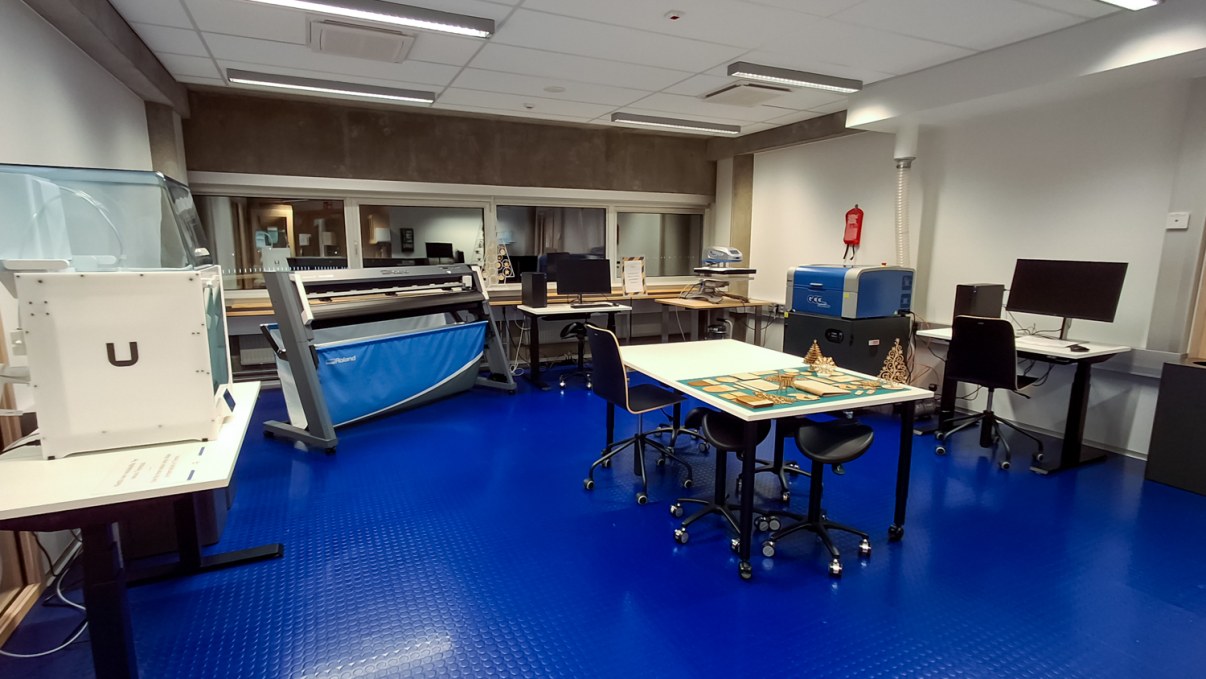
The expanded Digital Makerspace in Central Library Saari is located on the third floor of the library building and consists of two rooms. The 'rough side' (room 315) has some noisy equipment.
Digiverstas operating model and rules of use
Please read the operating principles and rules of use for Digital Makerspace before making a booking. Also look up the user instructions for individual equipment.
Digital Makerspace Equipment
3D printer
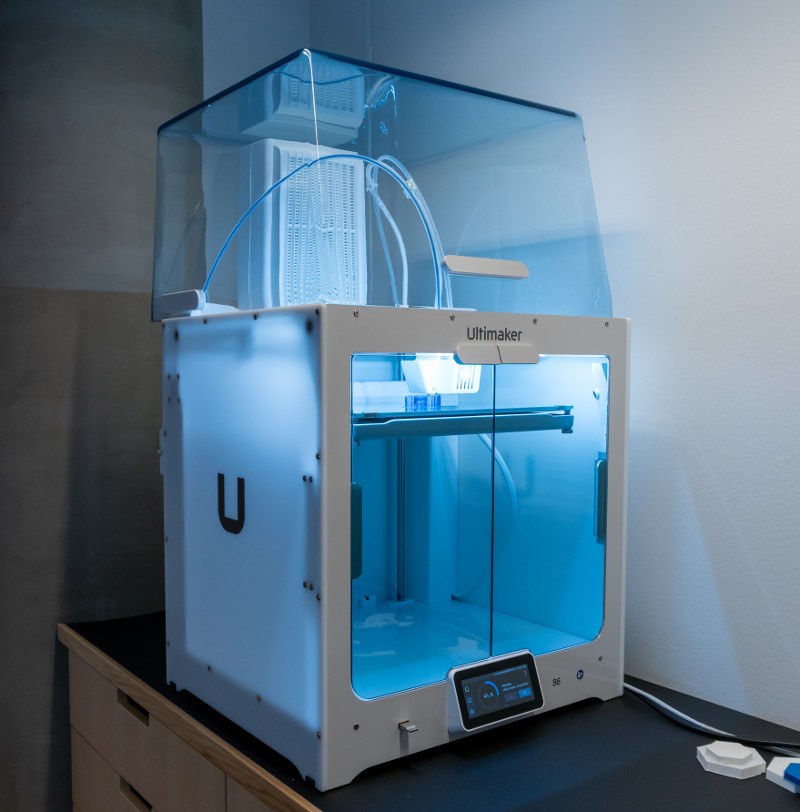
Ultimaker S6 3D Printers
In order to print, you need a 3D model file in STL form. Ready-to-print models can be found at www.thingiverse.com.
Bring your model with a USB stick to be printed directly from the printer. Reservations are made for each of the 3D printers and not for the 3D printer computer. The 3D printer computer can be use to quickly check and fix models and to save any changed settings to the memory stick before printing. If more time is needed to prepare a model, a reservation can be made to one of the Media Work Stations.
The 3D Printers work with Ultimaker Cura, a free software that allows 3D models to be viewed and prepared for printing. Cura is also installed on both Media Stations as well as Blender, which is a free open source 3D modelling software for more detailed 3D modelling and design work. The library will not provide guidance for the use of Blender or other 3D modelling software.
Material information and fees
Non-toxic and biodegradable PLA plastic (Ultimaker PLA 2.85 mm) is used as the printing material, available in black and white.
Fee per reservation is 1.50 €.
We accept card payments only.
Booking
There are two 3D printers available. The printing material is either black or white, please book the printer accordingly. The material will not be changed.
Duration of booking: 1–4 h
Max 2 bookings / day
Max 12 h / week / printer
Please read the operating instructions for the equipment as well as the Digiverstas rules of use in advance. When arriving for a booking please check in at the 3rd floor customer service desk.
Laser cutter
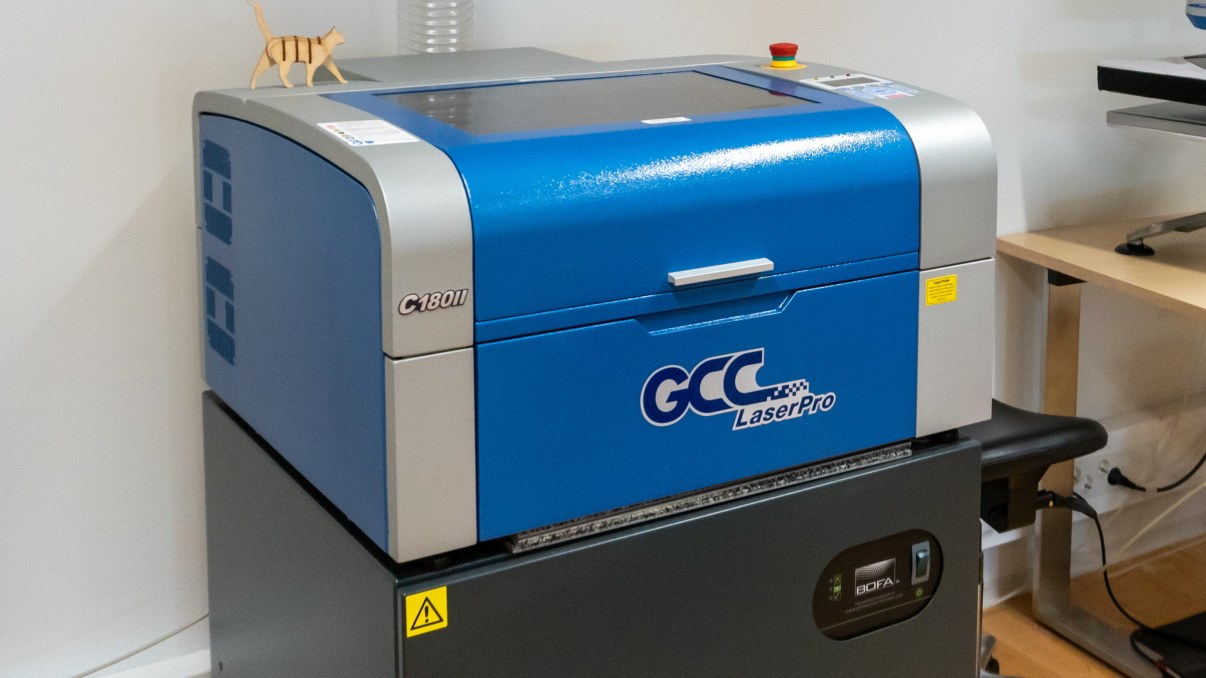
GCC LaserPro C180II
You can cut and engrave different patterns and items with a laser cutter.
The laser cutter works with CorelDRAW 2025 software. Files must be imported into Corel Draw before laser cutting. Recommended file types: pdf, jpg.
A booking can be made for a media work station if detailed changes or edits to designs are needed. Media work stations have Inkscape and Adobe Creative Cloud software such as Photoshop and Illustrator available. Inkscape is also installed on the laser cutter computer. The library does not offer guidance in the use of Inkscape or Adobe software.
The laser cutter should never be left unattended when in use. In case of emergency use the red safety button to stop all operations. If you notice any issues with the machine, report the situation to a member of staff.
Material information and fees
Only the plywood boards supplied by the library can be used. The size of the plywood boards is 400 x 300 x 3 mm.
Price: 5 € per plywood board
Max 3 pieces of board / booking
Booking
If you are a first time user or unsure about your skills please book a guided session. (Check the available sessions via Timmi, there's only a few at a time, currently on Mondays and Tuesdays.) Self-service bookings can be reserved only after a guided one. Under 15 year olds can only use the laser cutter accompanied by an adult.
Duration: 1–3 h
Max 1 booking / day
Max 9 h / week
Please read the operating instructions for the equipment as well as the Digiverstas rules of use in advance. When arriving for a booking, please check in at the 3rd floor customer service.
Vinyl cutter and heat press
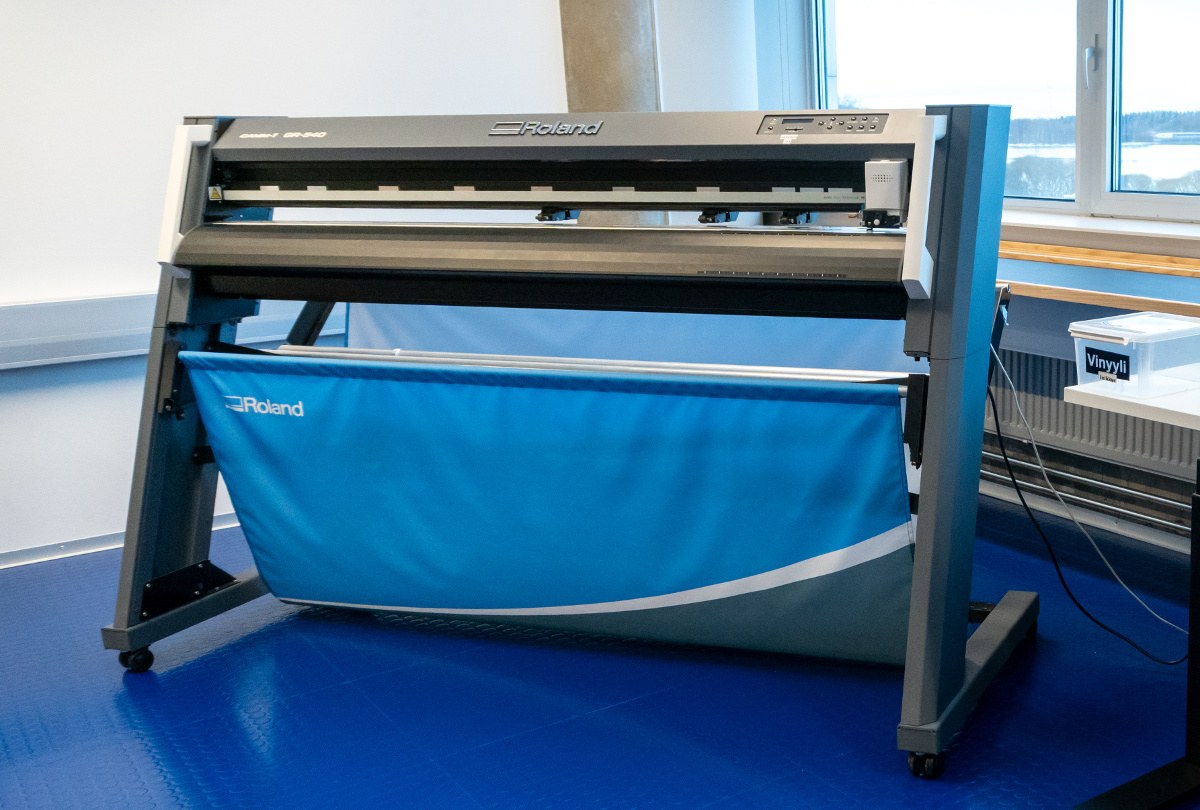
Roland CAMM-1-GR-540
You can create unique solid coloured stickers and fabric prints with the vinyl cutter. The vinyl cutter works with Roland Cut Studio software. Files must be imported into Cut Studio on the vinyl cutter computer before cutting. Suitable file types: JPG, BMP, STX, AI, EPS. (EPS and AI files only accept older versions such as 7 and 8.)
A booking can be made for a media work station if detailed changes or edits to designs need to be made. The Media Work Stations have Inkscape and Adobe Creative Cloud software such as Photoshop and Illustrator available. The library does not offer guidance in the use of Inkscape or Adobe software.
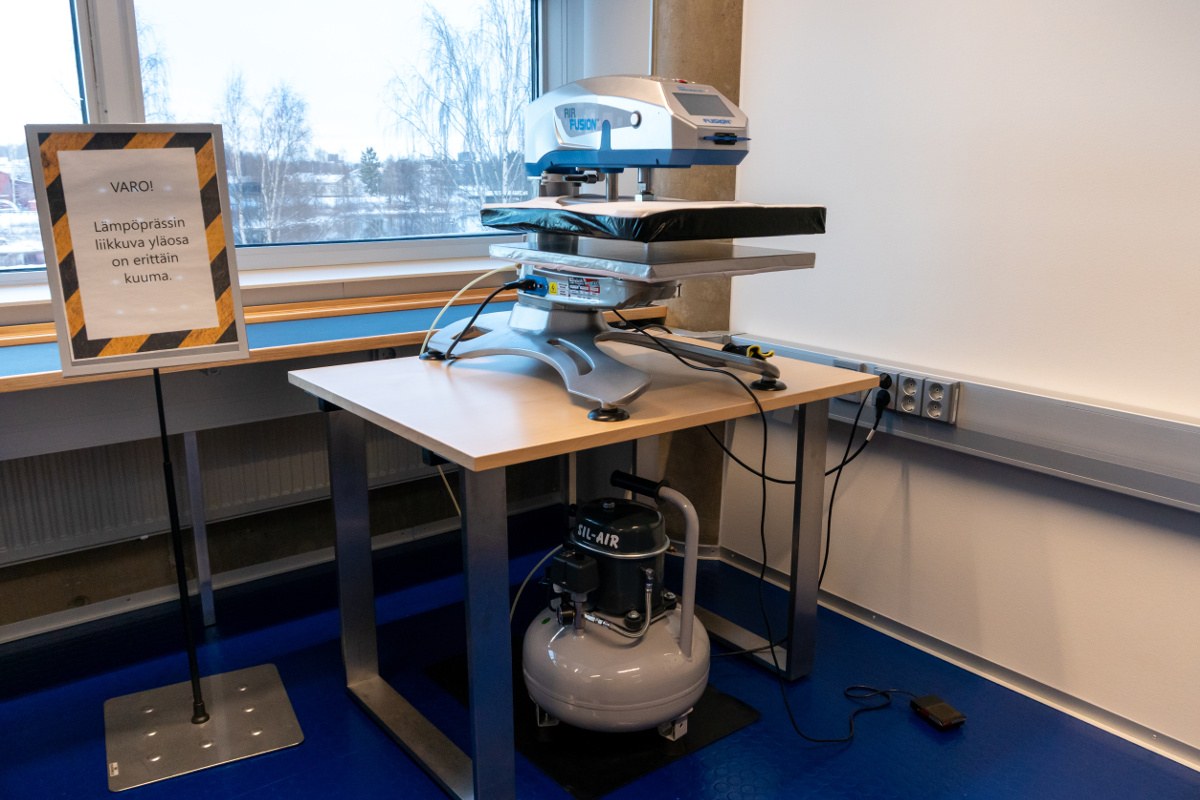
STAHLS’ Hotronix Air Fusion
The vinyl material is pressed with a heat press onto fabric (for example a t-shirt or tote bag).
The heat press heats to 150°C. Customers under 15 years old can only use the heat press accompanied by an adult.
Material information and fees
Only material supplied by the library can be used. For the use of heat press, you need to bring your own fabric. We recommend using cotton, polyester or a blend of the two materials. The heat transfer vinyl (Stahls Sports Film) is 50 cm wide.
The sticker material (3M Scotchcal 50) is suitable for many indoor and outdoor surfaces, such as windows, bicycles, laptop covers etc. The sticker material’s width is 60 cm but there's also older material available with a width of 122 cm. There is also transfer tape available for the sticker material.
Both vinyl materials are available in limited colours.
Price:
Sticker material: 10 € / m
Heat transfer material: 15 € / m
Max 2 m of material can be used per booking.
We accept card payments only.
Booking
Duration: 1–3 h
Max 1 booking / day
Max 9 h / week
Please read the operating instructions for the equipment as well as the Digiverstas rules of use in advance. When arriving for a booking please check in at the 3rd floor customer service desk.
Note! The heat press is currently unavailable.
Large format printer
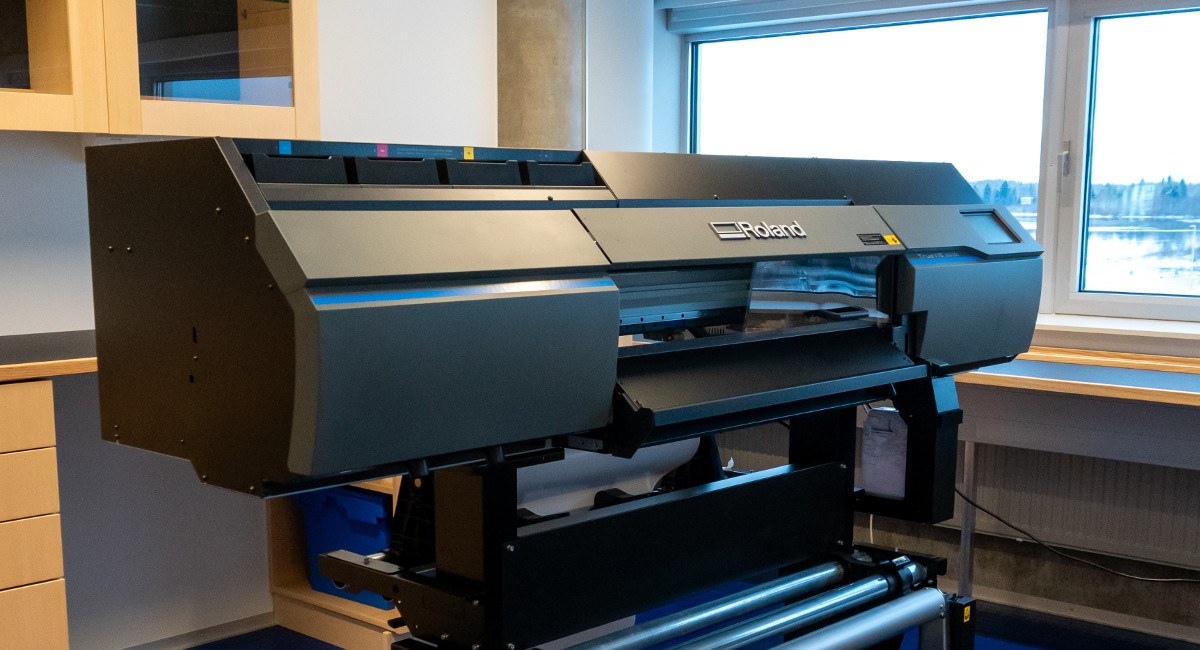
You can print large high-quality stickers, posters, and technical documents with the large format printer. The files must be put into the Roland Versa Works 6 program attached to the printer. The program is meant for arranging image files and printing options. If you want to edit the printed images, please book a media workstation. They are equipped with Inkscape and Adobe Creative Cloud programs, such as Photoshop and Illustrator. The library does not offer guidance for using Inkscape or Adobe programs.
Recommended file types: PDF, EPS.
Material costs
Width of both materials is 68 cm, printing area approximately 65 cm. The material is on a roll so the length of the print can be up to 2 or 3 m, depending on the material use limit for a single reservation. The largest standard size the large format printer can print is A1.
The printer leaves about 3,5 cm margin to the top and bottom of the print. Unprinted parts of the used material will also be charged. The large format printer is not meant for small strips. The minimum length of print, considering the margins, is 50 cm for the poster material and 20 cm for the sticker material.
The poster mayterial (Imageperfect™ 2408 Heavy Poster Paper) is thick and semi-glossy, suitable for indoor use and short-term outdoor use.
The sticker material (3M™ Scotchcal™ Graphic Film IJ35-20) is long lasting matte vinyl film, suitable for smooth flat and simple curved surfaces.
Prices:
Sticker material 10 € / m
Please note! Minimal charge is 2 € (even if the print is less than 0.2 m)
Poster material 10 € / m
Please note! Minimal charge is 5 € (even if the print is less than 0.5 m)
Both materials are charged based on usage, after the minimal charge. Measure the material you used in cm.
Restrictions:
Sticker material 0.2–2 metres per reservation
Poster material 0.5–3 metres per reservation
We only accept card payments.
Booking
The large format printer can be used with either sticker material or poster material depending on the day. Make sure that you book the correct material. Material is not changed in the middle of the day.
Length of reservation: 1–3 h
Max 1 reservation per day
Max 6 h per week / material
Please read the rules and instructions before making the reservation and before arriving. Register for your reservation at the third-floor customer service desk.
Media workstations
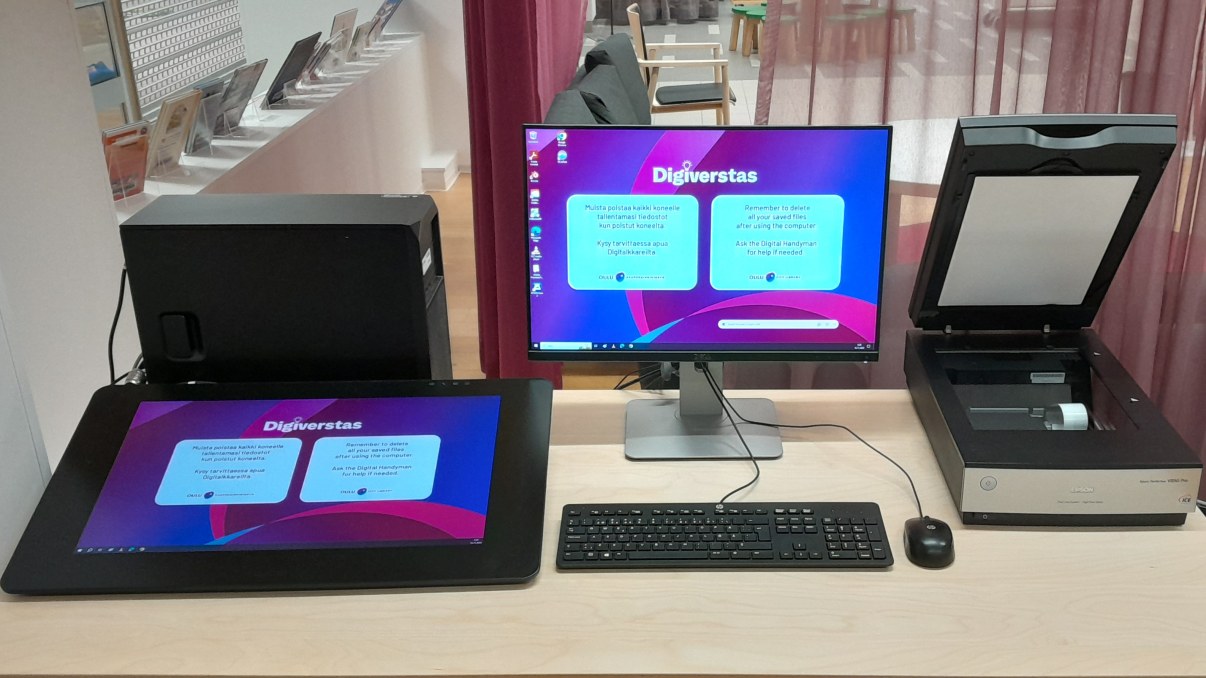
The Adobe Creative Cloud Program Package has been installed on the Digital Makerspace’s media workstation. You will need a free of charge Adobe account to utilise them (account.adobe.com). The package includes the following Adobe programs: Photoshop, Illustrator, InDesign and Premiere.
The media workstations include a Wacom Cintiq Pro 24" drawing pad and Epson Perfection V850 flatbed scanner. With the flatbed scanner, you can scan slides, negatives, photographs and documents with professional quality. The stations also have DVD-RW drives.
The media workstations are only meant for drawing, photo editing, paging, video editing and other suitable digital work and more demanding scanning. For other computer needs, please book a regular library computer. You can also use the multifunction device for scanning documents.
The media workstations can be used free of charge. Printing from the workstations according to regular printing fees. We accept card payments only.
Booking
There's two bookable media workstations with slightly different layout. Check the layout when booking via Timmi.
Length of reservation: 0,5–2 h
Max 2 reservation per day
Max 12 h per week / media station
Please read the rules and instructions before making the reservation and before arriving. Register for your reservation at the third-floor customer service desk.
Microfilm scanner
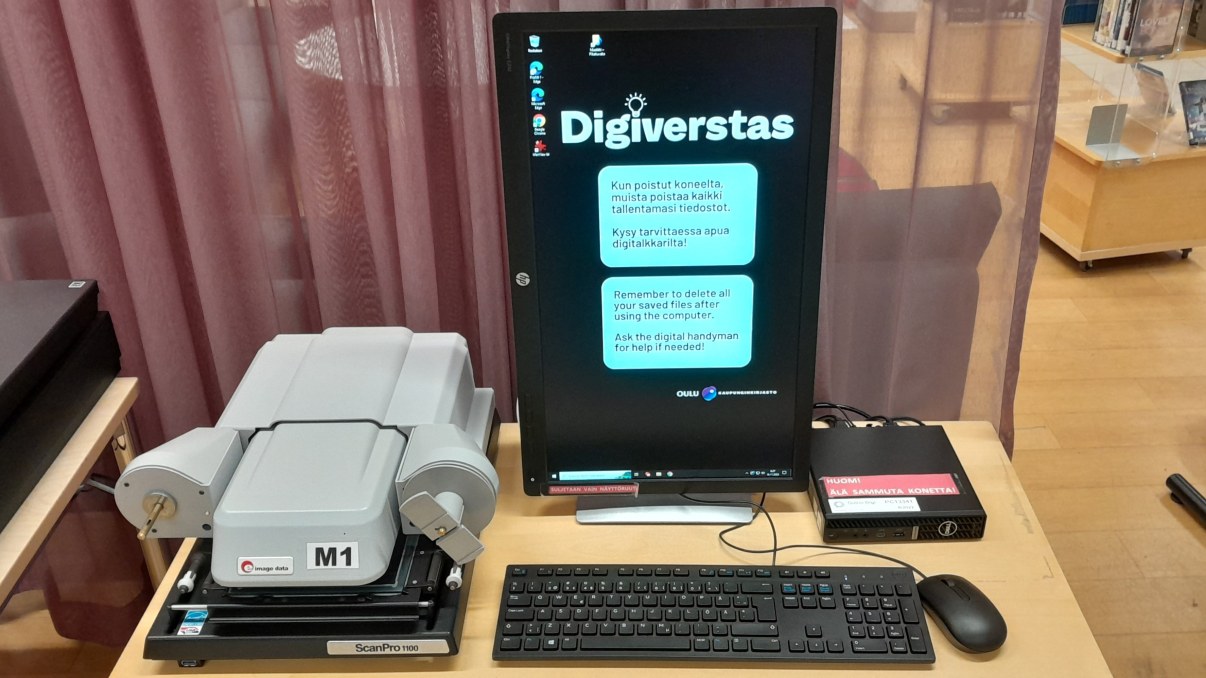
ScanPro1100
You can read and scan microfilms with the PowerScan 1100 software. The files can be saved onto your USB memory stick or could service. You may also print to the sizes of A4 and A3.
Using the microfilm scanner is free of charge. Printing according to regular printing fees. We accept card payments only.
Booking
Microfilm scanner needs to be booked via Timmi. If you are using the library microfilms, reserve them beforehand from OUTI Web Library or the customer service desk. Microfilms for Kaleva, Liitto, Oulu-lehti, and Rantapohja are located at the Central Library in Saari; others are stored at the Yli-Ii Library. You can access the microfilm reels by reserving the desired microfilms through the OUTI Web Library or at the library customer service. Microfilms located in Saari are usually available for use the day after the reservation is made. Transports from the Yli-Ii Library arrive twice a week. Please wait for a notification that the microfilm has arrived and then reserve the microfilm scanner.
The arrived microfilms will not remain with the 'available for pick-up' status. They will be waiting for you in Digiverstas, checked out to a specific card. Ask for your microfilms from third-floor customer service desk, and return them after use.
Length of reservation: 0,5–2 h
Max 2 reservation per day
Please read the rules and instructions before making the reservation and before arriving. Register for your reservation at the third-floor customer service desk.
Full colour label printer
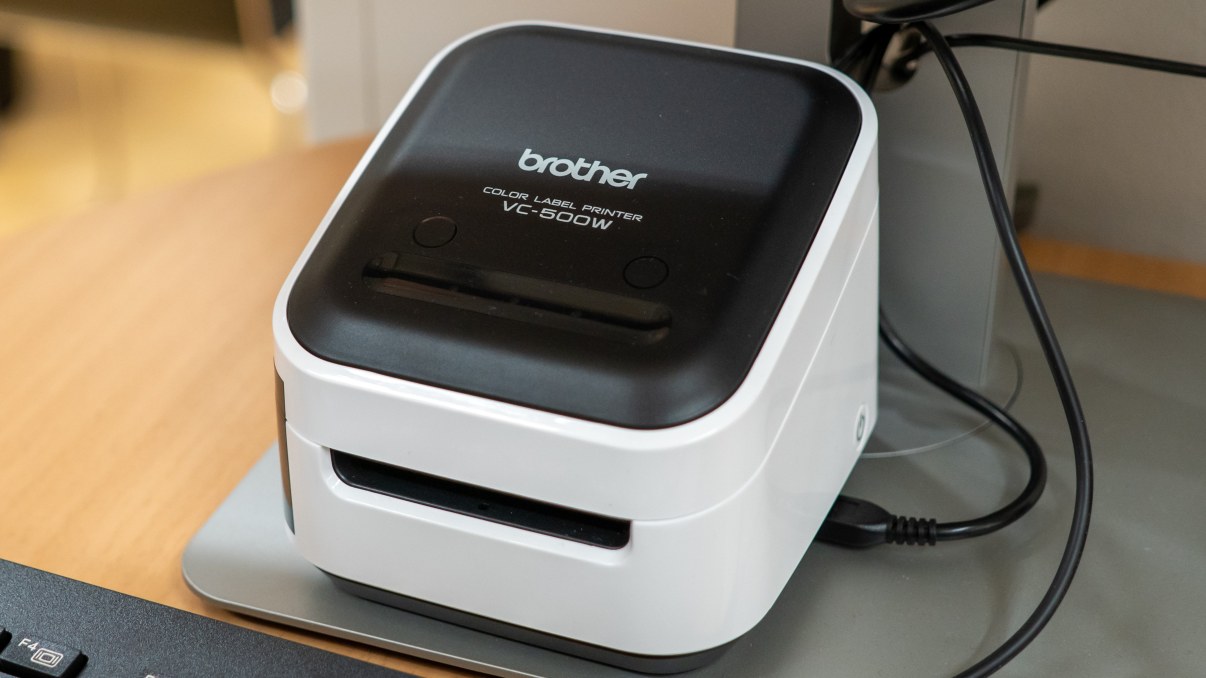
Brother VC-500
You can create unique, colourful labels with the full colour label printer. For example, you can utilize photos, logos, text, shapes, frames and colour codes in designing your labels. The label printer can create labels, signs, crafts, package labels, business cards, guest cards, greeting cards and personal gift package labels.
The label printer utilizes the ZINK® Zero-Ink® printing technology. Thanks to which the printer does not need any separate ink. The colour is created with heat-activated crystals. The label printer must be plugged into a computer with a USB cable. The label designs are made with the P-touch Editor Program.
There are four label strips available to use with different widths: 12 mm, 19 mm, 25 mm and 50 mm. The label printer is used with the same computer as the vinyl cutter.
Material costs:
12 mm or 19 mm label strip: 0.50 € per 10 cm
25 mm or 50 mm label strip: 1 € per 10 cm.
We accept card payments only.
Note! The Full colour label printer is currently not in use.
Laminator
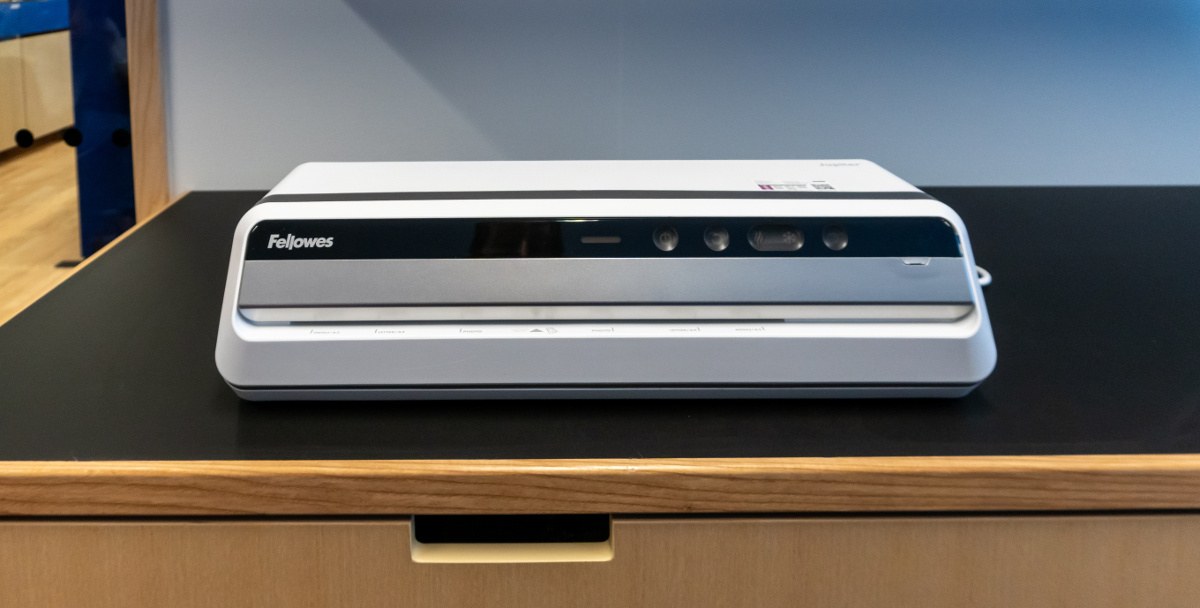
Fellowes Jupiter
The professional-level Fellowes Jupiter heat laminator automatically recognizes the thickness of the pocket and regulates temperature accordingly. The laminator is ready to use in 60 seconds and laminates quickly (140 cm / min). Laminating one A4 pocket only takes 17 seconds.
The laminator can be used without reservation during the Digiverstas opening hours.
Material costs
Only the laminating pouches offered by the library can be used. Laminating pouches are offered in A4 and A3 sizes. The Digital Makerspace includes paper cutters for cleaning up the laminated work.
Price: 0,50 € / pouch
Restriction: 5 pouches / session
We accept card payments only.
Pinback button maker
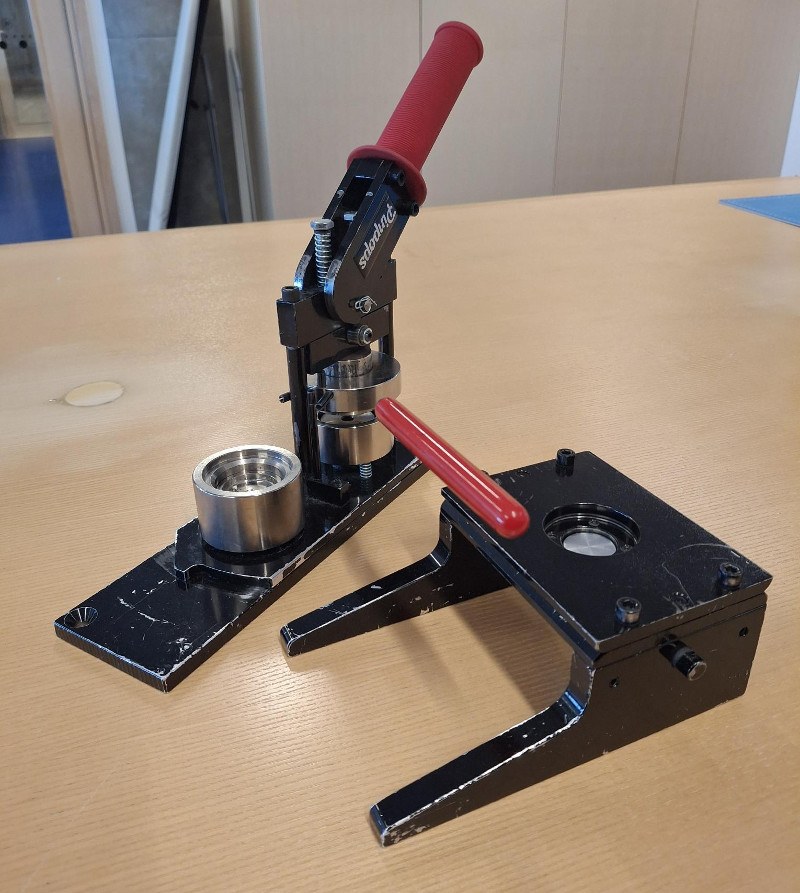
Pinpops pinback button maker
The button maker can be used without reservation during the Digiverstas opening hours. Ask for the buttons components on 3rd floor customer service. Only regular / thin paper is suitable for the buttons.
Material costs
Only the button components offered by the library can be used. The picture used in the button has radius of 45 mm. The image cutter will cut it to the correct size. The image will be partly folded behind the edge of the button, and the final button has a radius of 35 mm.
Price: 0,30 € / button
Restriction: 10 pouches / session
We accept card payments only.
Paper shredder
Fellowes Microshred 78MC
Microcutting shredder is fast and safe for papers, cards and CDs. Safety class P-5.
The shredder can be used free of charge and without a reservation during Digiverstas opening hours.
Sewing machine
Bernina 330
Bernina 330 is a high-quality and easy-to-use basic sewing machine that includes several patterns. Collect a material box from the customer service desk. It includes replacement parts and small materials, such as pins, scissors, and seam rippers.
The library does not offer guidance for using the sewing machine. You may read more about the sewing machine on the producer’s website: BERNINA 330 Beginner Model.
Using the sewing machine is free of charge. You may use your own thread. The library’s material box includes some thread. The facility also includes an iron and an ironing board.
Booking
Length of reservation: 45 min – 3 h
Max 1 reservation per day
Max 12 h per week
Please read the operating instructions for the equipment as well as the Digiverstas rules of use in advance. When arriving for a booking please check in at the 3rd floor customer service desk.
Serger
Bernina 800DL
Bernina 800DL is an effective and versatile serger. Collect a material box from the customer service desk. It includes replacement parts and small materials, such as pins, scissors, and seam rippers.
The library does not offer guidance for using the serger. You may read more about the serger on the producer’s website: BERNINA 800DL Serger.
Using the serger is free of charge. The serger only uses white thread (Vica 120: colour 1629 milk-white, later 1507 light gray). It is not permitted to change the thread. The facility also includes an iron and an ironing board.
Reservations
Length of reservation: 45 min – 3 h
Max 1 reservation per day
Max 12 h per week
Please read the operating instructions for the equipment as well as the Digiverstas rules of use in advance. When arriving for a booking please check in at the 3rd floor customer service desk.
Note! The thread spools will be changed to light gray ones starting Mon 26.10.2026
Small equipment
The Digital Makerspace includes some smaller devices which can be used during a booking for a library computer or media station. The equipment includes for example:
External DVD/Blu-ray player
3,5" floppy disk reader
ID card reader
SD/MicroSD-card adapter
Different cables for file transfer
The opening hours of Digiverstas
Mon 12–20
Tue-Fri 10–20
Sat 10–16
The reservations will end either 60 mins or 15 mins before the library closes depending on the equipment. The doors to Digiverstas can be opened a bit earlier (9–10 o'clock on Tue-Fri) and some of the equipment not requiring reservations will be available for use, e.g., the shredder, laminator, button maker, and paper cutters.
You can see the exceptions to normal schedule via Timmi.
Creations from the Digital Makerspace